Your dashboard and reports
Every call, text and request on one screen, a Monday text with the numbers, and a monthly report.
01 — Works today
Client dashboard
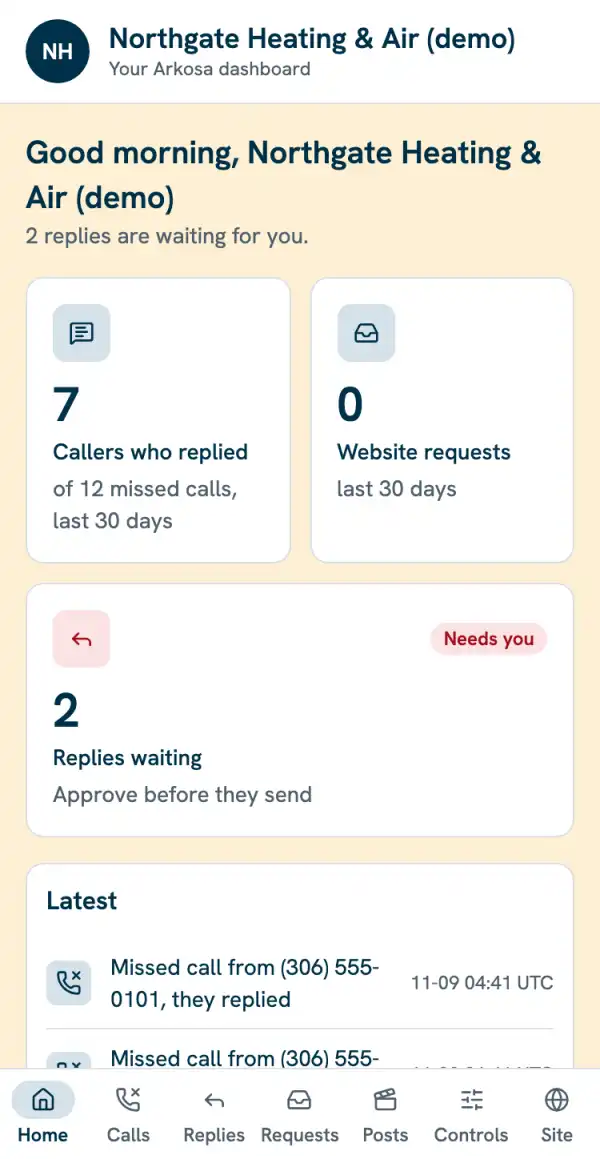
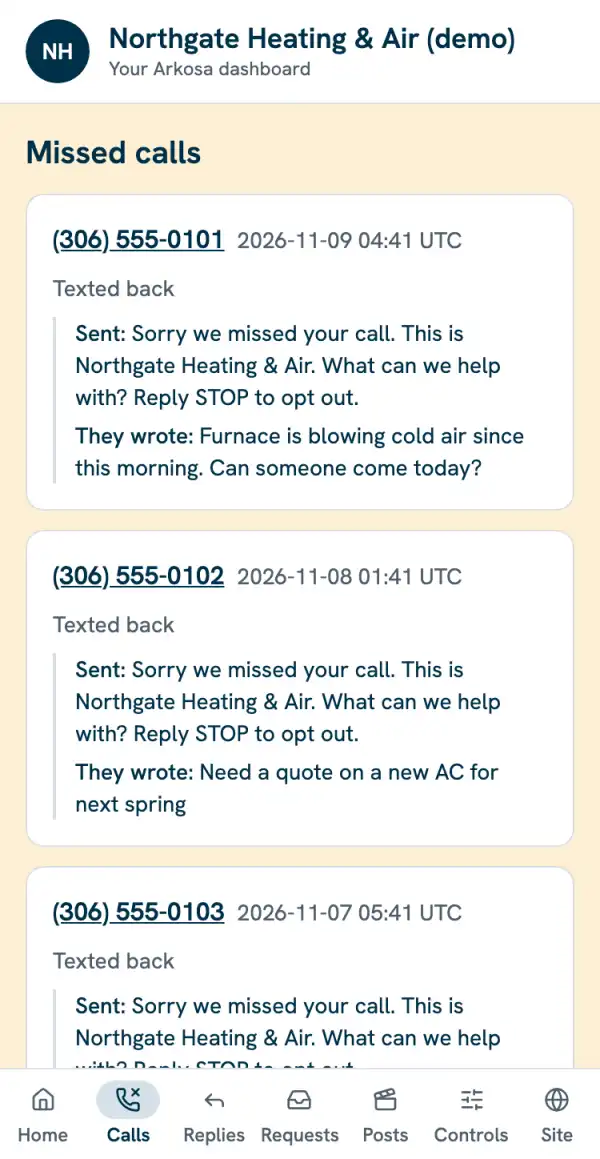
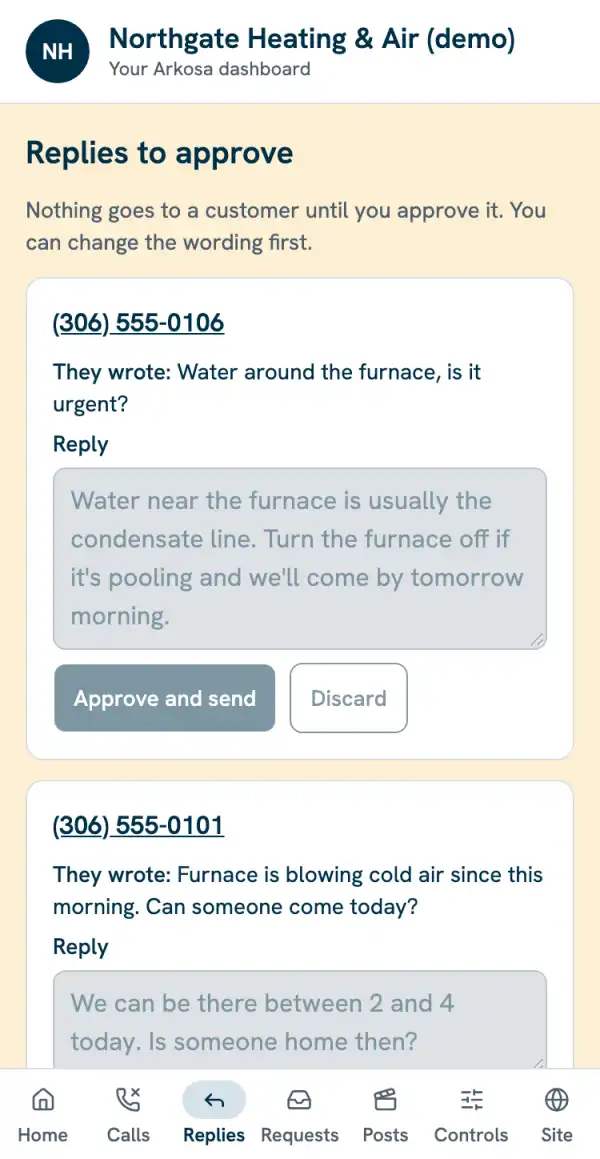
One screen on your phone with who called, what they wanted, and what's waiting for you.
Who it’s for: Every Core client.
Calls in one app, texts in another, website requests in an inbox: things get missed between them.
How it works
- 01
You sign in with your email; a one-time code is emailed to you. No password to remember.
- 02
Home shows missed calls, callers who replied, requests and anything waiting for you.
- 03
Calls, Replies, Requests and Posts each have their own tab.
- 04
Controls lets you pause text-backs, set away, change hours and switch follow-ups on or off.
Example
What you do
- Check it when you want; approve replies and posts
What your customers see
- Nothing. It's yours.
Included
- Works on any phone; add it to your home screen
- Your data is only ever shown to you
- Ask for site changes without an email chain
Questions owners ask
- Can other clients see my data?
- No. Your login only ever shows your business, and that's tested before every update.
- Is there an app to install?
- No. It's a web page you can add to your home screen.
02 — Works today
Weekly summary and monthly report
You know each week how many calls you missed and got back, and each month what the service did for you.
Who it’s for: Every Core client.
Without numbers it's hard to tell whether anything is working, or what to fix next.
How it works
- 01
Every Monday you get a short text: missed calls, replies, requests, reviews.
- 02
Each month you get a one-page report with the same numbers, plus your map grid and reviews.
- 03
Every number is labelled measured, confirmed by you, or estimated.
What you do
- Read it; confirm job values when asked
What your customers see
- Nothing.
Included
- Monday text
- Monthly one-page report
- Leads by source (Google, site, ads)
- Every number labelled
Questions owners ask
- Where do the numbers come from?
- Your own calls, texts and requests, your Google profile, and anything you confirm. Estimates are marked.
03 — Other services
The other pages.
Websites that make the phone ring
A fast site with your number on every screen, found on Google and in AI answers, and kept that way.
Missed-call follow-up
Every caller you miss gets a text from your business within a minute, and every request reaches your phone.
Reviews and your Google profile
A review request after every finished job, and a Google profile that looks open for business.
On request
Extras we set up when you ask. Each says plainly what it is and whether it's available yet.
Get started
Pricing is set on a call, for your business.
Pick a way to start. A person reads every message and replies within one business day.
Count it
What missed calls cost you
Three numbers from your week. One monthly figure for the work that went to the next company on the list.
Work it outWrite to us
Email us
Tell us about your business and what is going wrong with your calls. We reply within one business day.
Send an email